Break the course into approachable steps
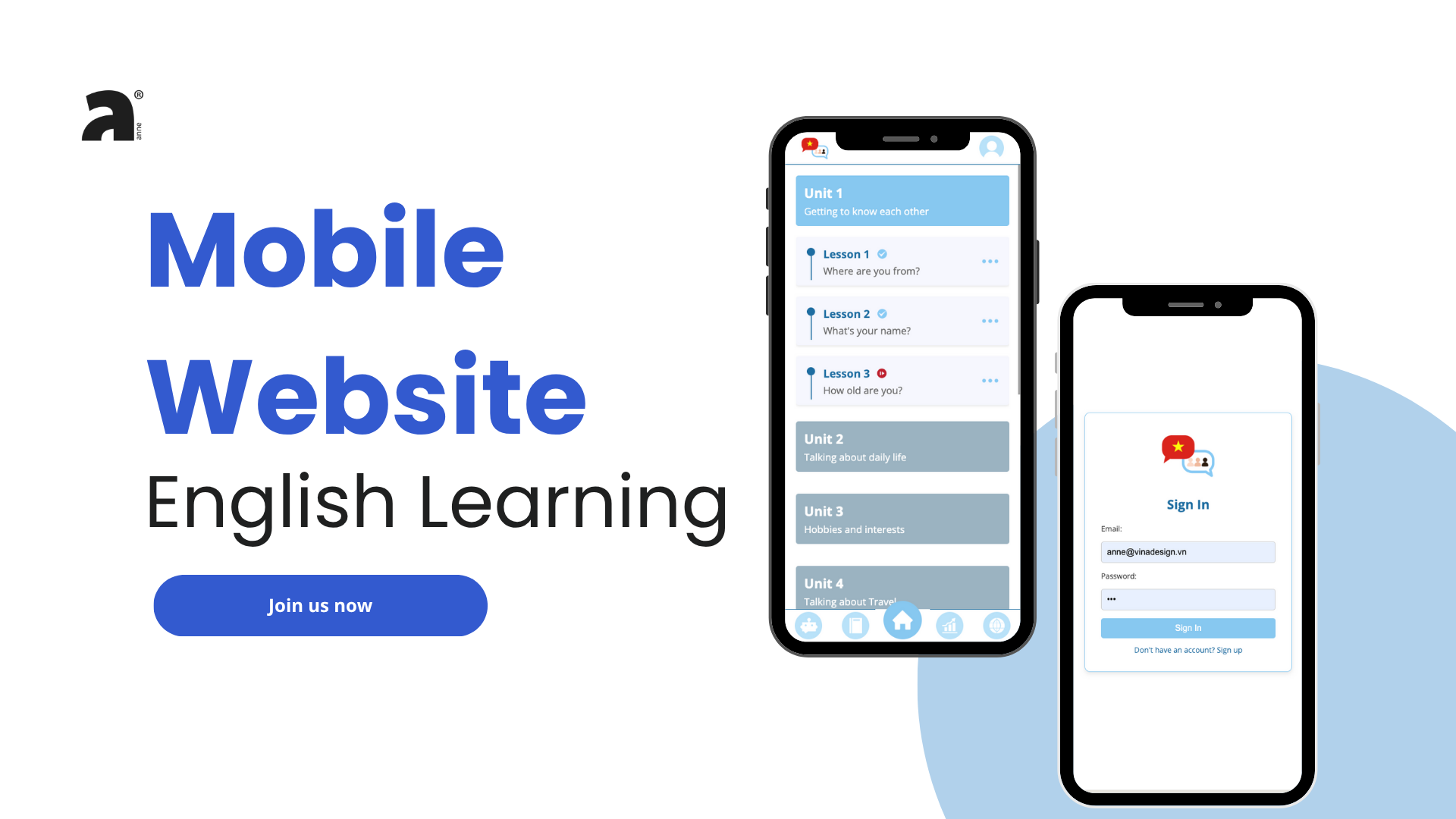
Numbered units contain short, topic-based lessons. In the first lesson, learners connect a word with its meaning, then complete a sentence about where they are from.
LEARNING EXPERIENCE / MOBILE WEB
An English-learning interface that brings short lessons, vocabulary notebooks and progress into a mobile-first experience. Recovered DMS5 source and process material reveal the thinking behind the screens.
01 / CONTEXT & INTENT
The DMS5 project explored six connected areas: lessons, a feed, vocabulary notebooks, a chatbot, profile preferences and progress. Instead of presenting English study as a single exercise screen, the interface proposes a personal learning environment. The restored preview uses the earlier A2 front-end so visitors can try its original two-question lesson without an account.
Numbered units contain short, topic-based lessons. In the first lesson, learners connect a word with its meaning, then complete a sentence about where they are from.
The notebook groups collections by everyday and professional topics. The process material includes survey questions and feedback about notebooks and personalization, offering directions for iteration rather than proof of learning effectiveness.
The repeated bottom navigation links the main areas. A central home control gives lessons a consistent anchor, while progress and profile preferences acknowledge that learners have different goals.
A walkthrough of the documented experience.
Browse a unit and open Lesson 1.
Connect meaning and complete a sentence.
Browse the vocabulary notebook layout.
Look at the sample progress view.
Original screens and process material. Select an image to inspect it at full size.
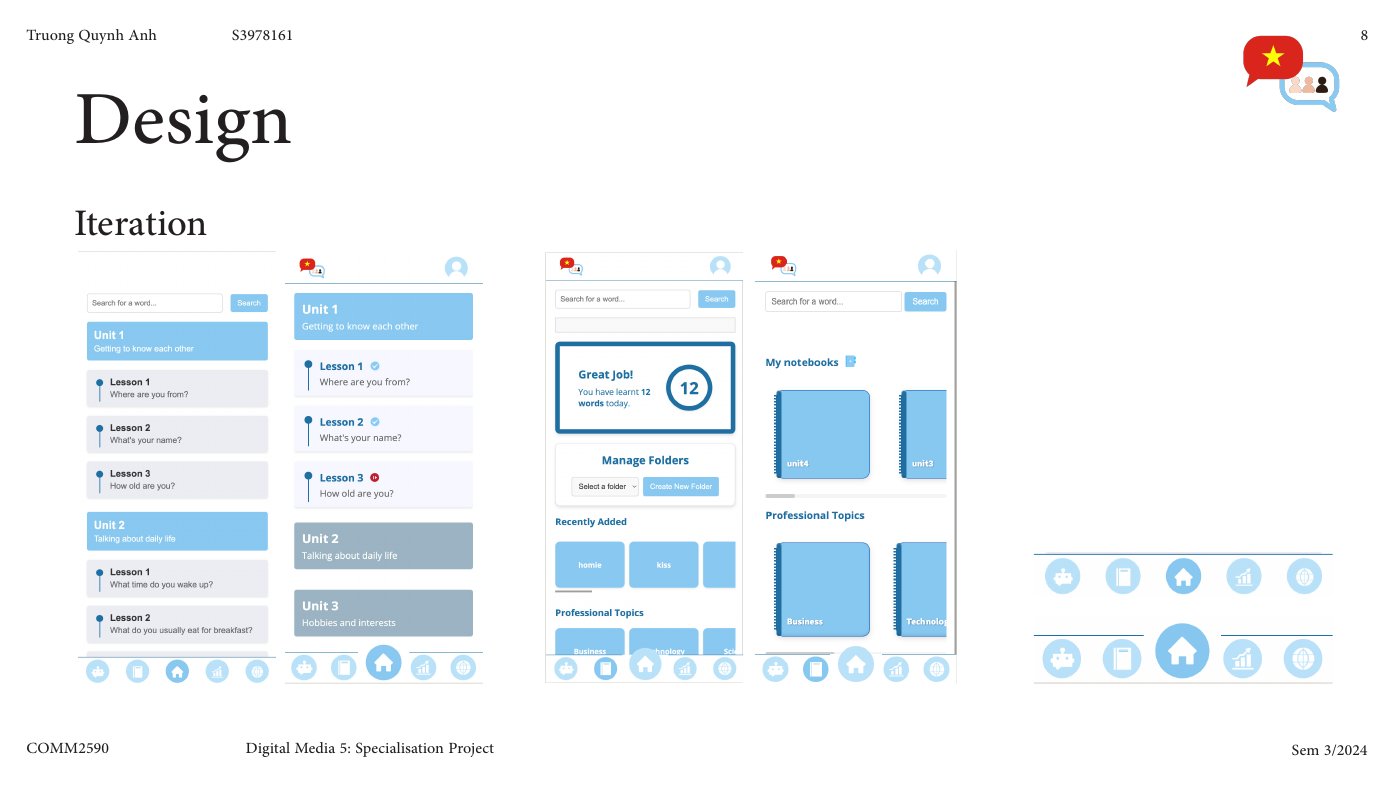
Original DMS5 process document, p. 8: interface iterations across the learning environment.
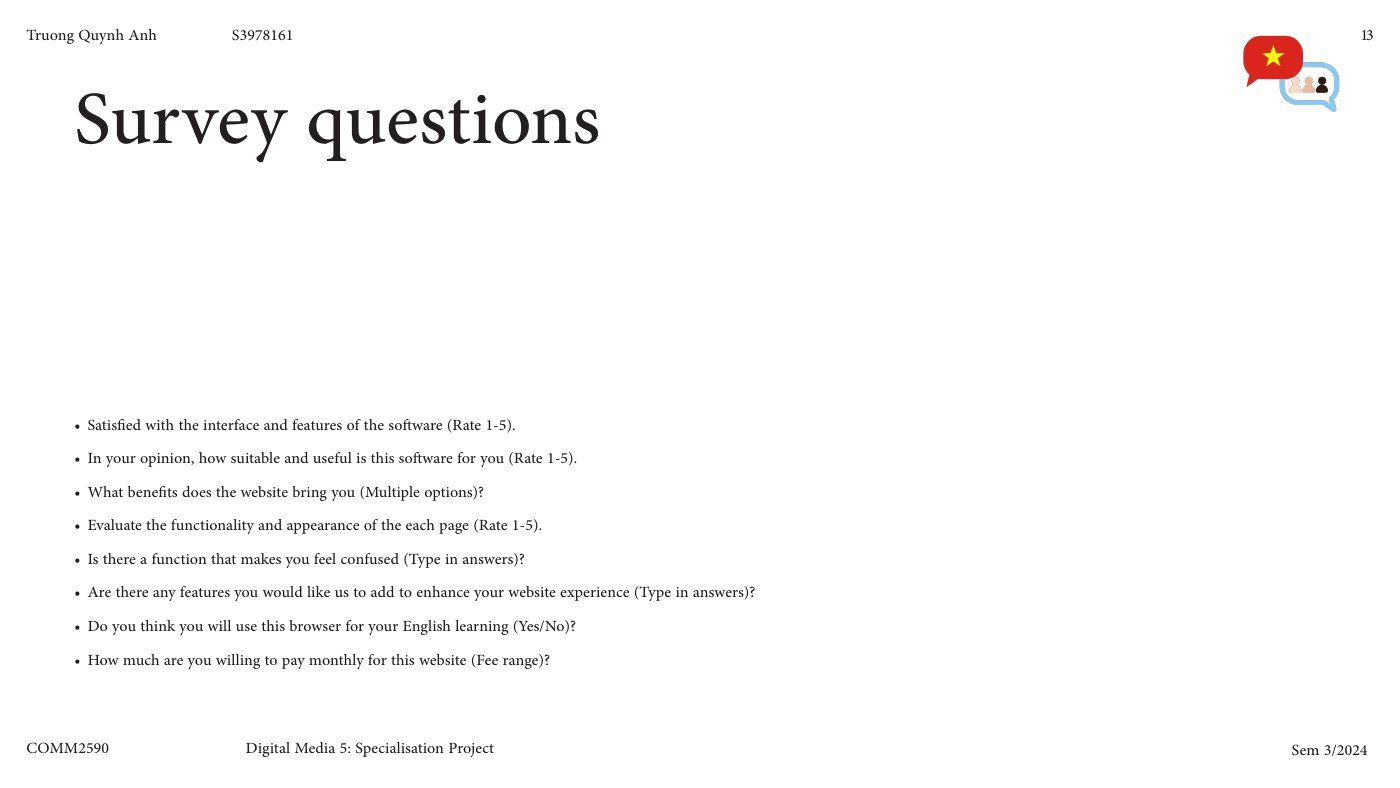
Original DMS5 process document, p. 13: the survey questions used to gather feedback. The case study does not infer a representative result from this material.
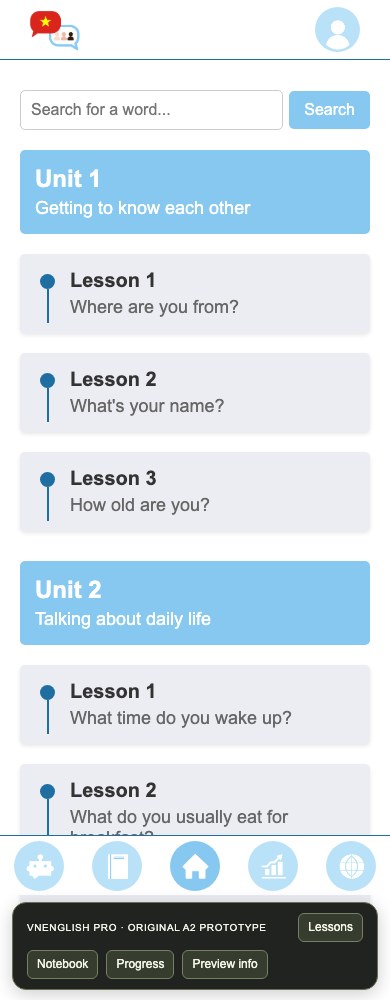
Capture of the original A2 front-end. The restored first lesson adds answer feedback, a working completion state and replay.
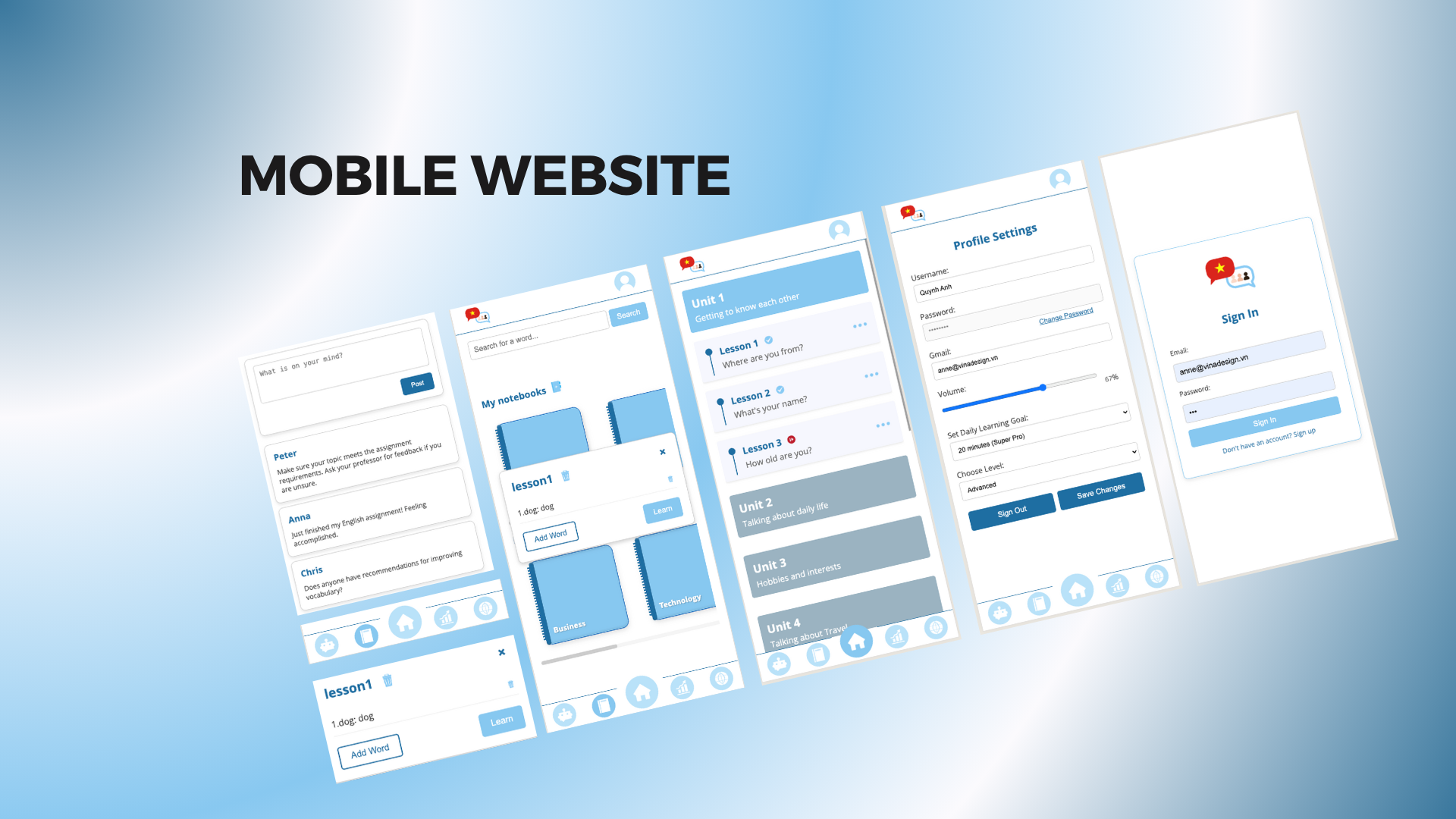
Original presentation showing the feed, notebooks, course, profile and sign-in screens. Some account and connected features remain outside the guided preview.
Choose Unit 1, Lesson 1 to try the two-question exercise. Then browse the original notebook and sample progress screens. Other lessons, chatbot, posting and account saving are outside this preview; no sign-in is needed.
This earlier project made the connection between my teaching interests and interface design more concrete. It also exposes the difference between organizing features and creating a continuous learning experience—a question I carry into UNIO. DMS5 contains later iterations, while this portfolio deliberately uses the original A2 interface for the self-contained preview.